
How To Install NetGo TV App on Android
How to install NetGo TV app on android is one of the most searched questions today – but why is everyone suddenly talking about NetGo TV?
Could it be the seamless streaming, wide channel selection, or affordable subscription plans? As IPTV demand grows, NetGo TV continues gaining popularity for delivering reliable, high-quality entertainment anytime, anywhere.
How to Install NetGo TV app on Android
First, enable “Unknown Sources” in your device settings to allow your Android device to install applications from sources outside the Google Play Store.
This option is necessary when downloading the NetGo TV APK file directly from its official website.
Simply go to Settings, tap Security or Privacy, find Install unknown apps, and grant permission to your browser or file manager.
Second, go to vizivu.one and download the NetGo TV APK from the official website to ensure you’re getting the latest and safest version of the app.
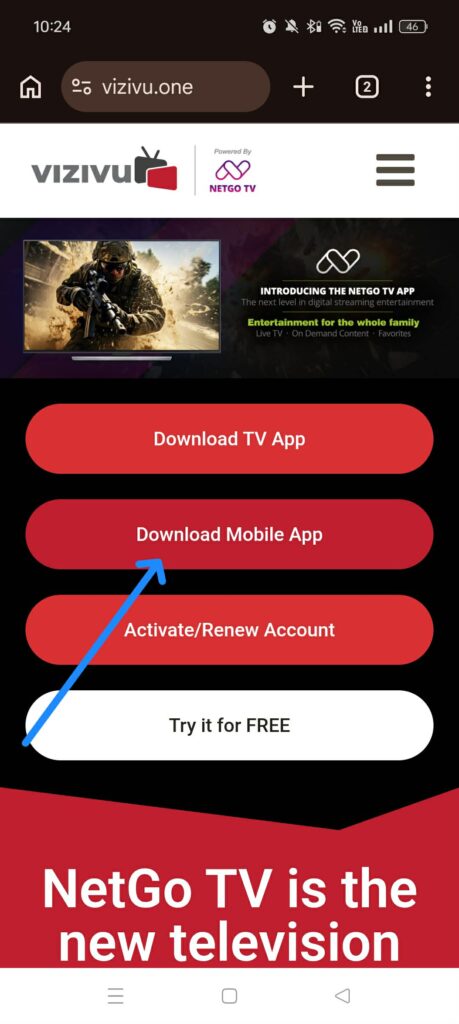
Once on the official site, tap the download button and wait for the APK file to finish downloading completely before proceeding to installation.
Third, open the downloaded APK file from your notification panel or file manager, then tap Install to begin the installation process.
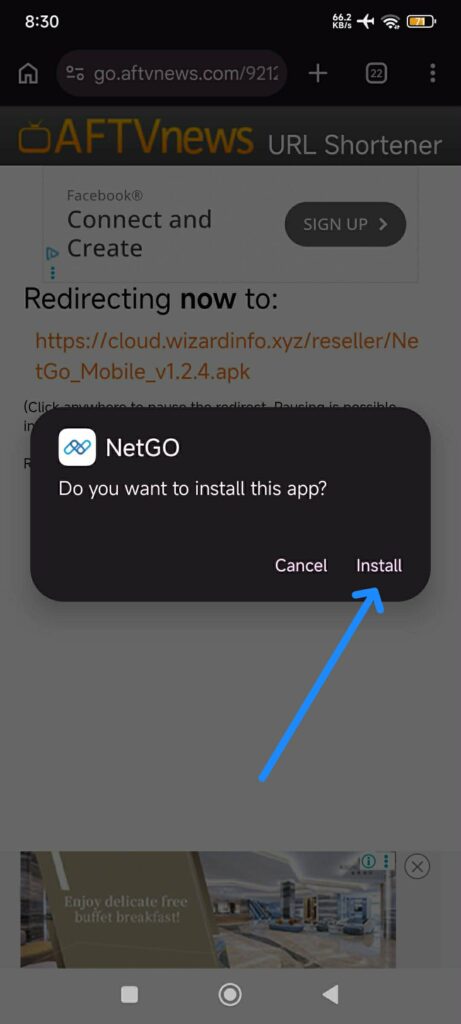
Your device will start setting up the application automatically. Make sure you do not close the screen while it’s installing.
Once completed, you’ll see a confirmation message and the option to open the app immediately and type in your activation code.
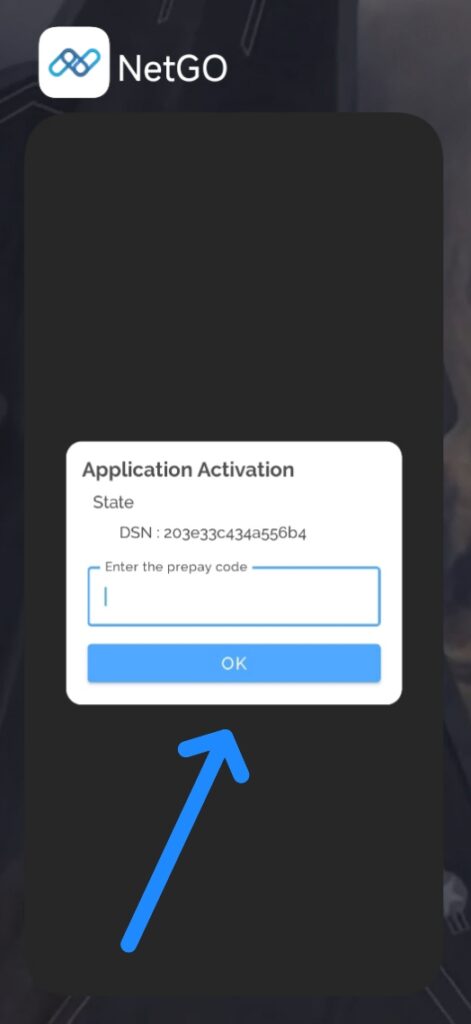
This is how easy it is to download the NetGo TV app on your Android device. With just a few simple steps, you can complete the installation in minutes and start enjoying seamless streaming.
No complicated setup, no technical skills required—just quick access to your favorite channels and entertainment anytime you want.
Get NetGo TV today and Visit the Pricing page, or click on the any of Get Started button found on the home page. Feel free to contact us if you have any questions.
